
 The Coach Space
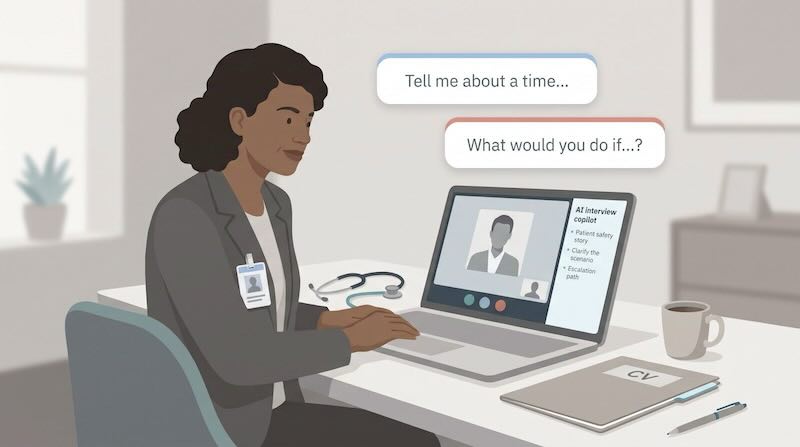
Most hospital and clinic interviews blend two distinct question types:
- “Tell me about a time you caught a safety issue.”
- “What would you do if the same issue appeared tomorrow?”
The first demands a verifiable story; the second tests judgment under pressure. Swap them and even a seasoned clinician can stall. That is why the best AI interview answer generator for healthcare jobs is the one that helps you tell the two apart, not the one that writes the slickest paragraph.
AI help in interviews is also controversial. In a May 2026 Lean In survey of U.S. adults, 20 percent of men and 10 percent of women said they had let an app listen during interviews and feed answers in real time (leanin.org/articles/findings/ai-job-search-data-women/). Recruiters notice, policies tighten, and candidates worry about privacy and whether in-call prompts break hiring rules.
This guide compares seven tools, from free practice coaches to live desktop copilots, on three things that matter in clinical hiring:
- Whether the tool is built for past-behavior or what-if practice
- Whether it works from your own résumé instead of inventing clinical feats
- Whether it fits inside professional scope and employer policy
Quick Verdict: Which Tool Fits Your Shift?
| Tool | Best for | Format | Works from your résumé | When it helps |
|---|---|---|---|---|
| Interview Copilot (interviewcopilot.ai) | Live prompts from your own history | Desktop overlay | Yes | During the interview |
| Huru | Free practice reps | Browser mock interviews | From the job post | Before the interview |
| Final Round AI | Prep, live help and debrief in one place | Practice and live | Yes | Before, during and after |
| Beyz AI | Phone and mixed-format calls | Live and mock | Yes | Before and during |
| Verve AI | Starting on a free plan | Live and mock | Yes | Before and during |
| Yoodli | Speaking-delivery coaching | Role-play coach | No | Before the interview |
| Acedit | One-time purchase instead of a subscription | Practice and assist | Yes | Before and during |
The short version:
- Interview Copilot is a good fit when you want real-time prompts drawn from your own résumé.
- Huru suits candidates who want structured practice at no cost.
- Final Round AI covers prep, live help and post-interview review under one login.
- Beyz AI fits candidates who interview by phone as well as video; Verve AI suits those who want to start on a free plan; Yoodli polishes delivery; Acedit avoids subscriptions.
Match the row to your own policy, budget and interview format, then read the detail below.
“Tell Me About a Time” vs. “What Would You Do?”: Why Question Type Changes the Game
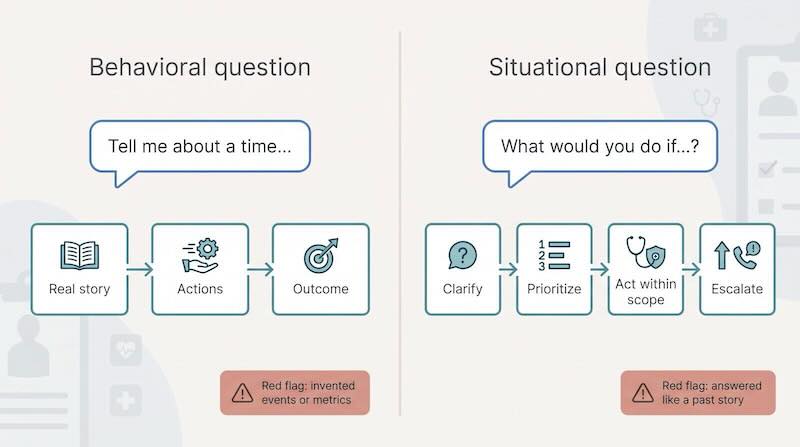
Picture two nurses with identical résumés. One wins the panel because her answers feel lived-in, while the other recites theory and stalls. The difference is rarely clinical skill; it is knowing which answer shape matches the question.
| Question stem | What the interviewer wants | Best answer shape | Red-flag mistake |
|---|---|---|---|
| “Tell me about a time…” | Proof of past behavior | Real story, actions, outcome | Inventing metrics or events |
| “What would you do if…?” | Judgment in a hypothetical | Clarify, prioritize, act within scope, escalate | Treating it like a past story |
Behavioral questions look backward
When you hear “Tell me about a time…” the panel wants receipts: the concrete situation, your exact action and the result. Behavioral interviewing rests on the idea that past behavior predicts future performance, so any AI help should surface your own history, not embellish it.
Situational questions look forward
Flip the wording to “What would you do if…?” and you enter a scenario test. Here the panel wants the steps you would take and why, not a fabricated past event. In clinical roles that nuance matters: skipping vitals, orders or policy in a hypothetical can sound unsafe. Good tools slow you down, prompt for missing information and remind you when to escalate.
Why this matters for tool selection
Any large language model can format prose. Far fewer help you notice whether a prompt calls for evidence or for forward-looking reasoning. As you read the profiles below, look at where each tool sits: before the interview, during it, or both.
The Tools, Compared by What They Do
1. Interview Copilot: Best Fit for Résumé-Grounded Live Guidance
For live prompts built from your own background, the Interview Copilot app (interviewcopilot.ai) runs as a standalone desktop program for macOS and Windows. The company says its private overlay stays hidden when you share a window or your entire screen, so only you see the guidance.
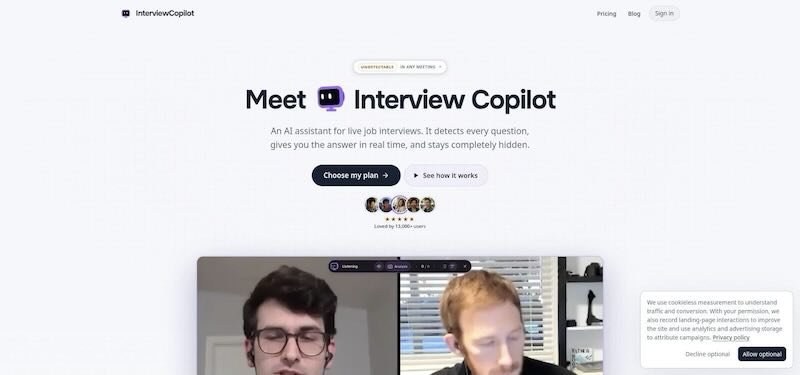
Interview Copilot desktop overlay live interview screenshot.
It needs an internet connection to hear system audio from Zoom, Google Meet, Microsoft Teams and Webex, then detects the questions. The overlay shows guidance drawn from your résumé and the job description. Glance mode surfaces short talking points, and a shortcut captures what is on your screen for analysis. No bot joins the call. The company says answers start in under a second. Interview audio is streamed for transcription, not stored, and interview data is not used to train public models.
For a behavioral question, that means the talking points come from the stories you loaded, not from invented events. For a what-if question, you still supply the clinical reasoning; the overlay is a memory aid that keeps your priorities and escalation steps in view.
Pricing: $49 per month or $149 per year, with all features on both plans. The app is free to download and test; a live interview needs a subscription.
Limitations: Copilot is not a clinical decision tool and offers no HIPAA guarantee, and screen protection may not cover every managed device or proctoring system. Confirm employer policy before using real-time prompts.
2. Huru: Best Free Practice Tool
Huru is a browser-based mock-interview coach. Paste a job post, and it builds a tailored question set, records each spoken answer and scores it out of 100 on relevance, structure, specificity, impact and articulation.
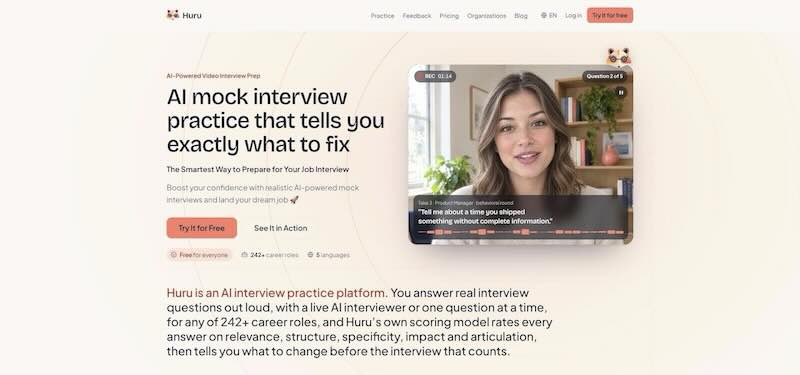
Huru AI mock interview coaching interface screenshot.
It is useful for behavioral prep: the feedback pushes you to add the result to a story. Huru stops when the real interview starts; it does not transcribe live questions. For candidates whose employers forbid in-call assistance, it provides structured rehearsal without adding a subscription.
3. Final Round AI: Best All-in-One Workflow
Final Round AI aims to be a single app: practice interviews against the same job, a live copilot that shows suggested answers in a private window during video calls and phone screens, and an automatic debrief after the call.
Suggested answers are full sentences, so put them into your own words rather than reading them out. Check the current plans and billing terms on its site before subscribing. Choose it if you want one login for prep, live help and review; skip it if you only need free practice.
4. Beyz AI: Best for Phone and Mixed Interview Formats
Beyz AI offers real-time prompts beyond video, including a phone interview assistant, alongside mock practice. That versatility helps travel nurses and medical-device reps who cannot rely on a webcam. It is not a clinical reference, so check every prompt for scope and safety. If you are always on camera, a desktop copilot may be enough.
5. Verve AI: Best for Testing Live Cues First
Verve AI combines live interview cues with mock interviews and a post-interview report, and offers a free plan with no credit card required. Paraphrase its suggestions aloud rather than reading them. Verve is not a clinical reference; double-check any dose math or policy line it surfaces, and check what the free plan includes before upgrading.
6. Yoodli: Best for Speaking Delivery
Yoodli is a speech coach rather than an answer generator. Record a role-play in the browser and it highlights filler words, pacing, pauses and jargon.
- Starter: free, with 5 lifetime role-play sessions (sessions over 30 seconds count toward the limit).
- Pro: $8 per month, billed annually.
- On Starter and Pro, session data may be used to improve the platform.
It works only in prep mode, with no live microphone during an employer call. Pair it with your own notes or a permitted live tool: refine how you sound, then rely on your preparation for content.
7. Acedit: Best One-Time Purchase
Acedit sells lifetime access instead of a subscription. You add your résumé and the job, practice with mock interviews, and on paid plans can supply your own STAR examples; during a call it detects questions and suggests answers. It runs as a Chrome extension, so it works only with browser-based calls. Treat it as a prep aid with no claim of clinical accuracy.
Real-Time Copilot, Mock Interview, or Prerecorded Practice?
Choose the mode that targets your biggest gap; stacking all of them without a plan wastes time and may clash with employer policy.
| Mode | Best for | Key upside | Main risk |
|---|---|---|---|
| Text answer generator | Building a story bank | Unlimited drafts, easy edits | Pasted text can sound scripted live |
| Spoken mock interview (Huru, Yoodli) | Repetition and delivery | Timed prompts, filler-word feedback | No help once the call starts |
| Live copilot (Interview Copilot, Final Round AI, Beyz AI, Verve AI) | Real-time memory jogs | Cues on screen | Employer may prohibit outside aids |
- Struggling to recall past wins? Start with a text generator and build six to eight STAR stories.
- Need to cut filler words or slow down? Run a mock coach until your feedback levels off.
- Have employer approval for in-call help? Add a live copilot for recall.
Privacy, HIPAA, Fair Hiring, and Ethical Use
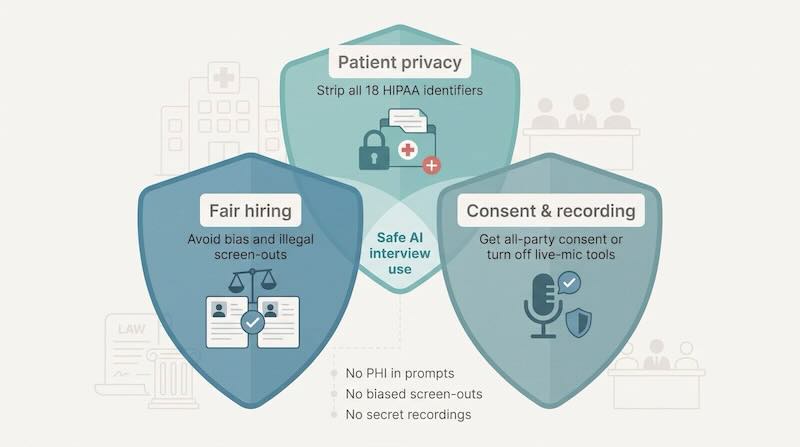
One stray detail, such as a patient name or record number, can turn preparation into a breach. Keep three lenses in view:
| Lens | Core rule | Practical tip |
|---|---|---|
| Patient privacy | Strip all HIPAA identifiers before pasting anything into a tool (HHS Safe Harbor, 45 CFR §164.514(b)(2)) | Speak in broad strokes (“adult ICU patient,” not a name and bed number) |
| Fair hiring | AI must not screen out protected groups | If you need a tool as an accommodation, get written permission first |
| Consent and recording | Some states require every party’s consent to record, and some hospitals ban third-party recording | Turn off live-mic features when policy forbids recording |
The fair-hiring lens applies to employers as much as to candidates; these equitable hiring best practices show what that looks like on the hiring side.
- No clinical authority. None of these tools is licensed to diagnose or prescribe; ignore any prompt that suggests dosing or protocol overrides.
- “Undetectable” is not the same as permitted. An invisible overlay will not help when follow-up questions probe for details you never experienced.
- Document use. Note the date, tool and data shared; transparency protects you if a question arises later.
How to Use AI Without Sounding Scripted
Think coach, not ventriloquist:
- Build a story bank of six to eight real STAR stories, each under 150 words.
- Turn AI text into three bullet sparks per story: problem, action, result.
- Rehearse three likely follow-up probes per story.
- Verify every figure against a document, or delete it.
- Let a natural pause happen; it sounds human.
Swap flashy adjectives for the plain language you would use on the unit floor. If you cannot defend a number through three follow-up questions, drop it.
Final Verdict
Choose the tool that matches your gap. For live, résumé-grounded cues, Interview Copilot; for free practice, Huru; for one dashboard from prep to debrief, Final Round AI; for phone and mixed formats, Beyz AI; for starting on a free plan, Verve AI; for delivery, Yoodli; and for a one-time payment, Acedit.
Whichever you pick, rehearse both question types, “Tell me about a time…” and “What would you do if…?”, before the real panel. If a tool invents facts, skips safety steps or feeds you words you would never say, close the tab. Authentic stories in your own voice still win the offer.


Add comment